
The practical answer is to treat event live streaming and on demand tools as a decision framework, not a loose collection of tasks. A strong plan clarifies what must be approved, who owns it, what can change, and what readers or attendees should verify before they act.
TL;DR: A useful tools/resources for event live streaming and on demand tools should focus on the few decisions that change outcomes: ownership, timing, access, risk, communication, and proof before public commitments are made.
Why Streaming Tools Control Delivery Quality
For event technology, virtual & hybrid, the narrowest useful angle is to evaluate live streaming and on-demand event tools by operational role, template needs, audience size, and implementation risk. This matters because event work joins creative goals with contracts, physical space, people, technology, public communication, and risk controls. A good article or plan should help teams make a decision they can actually execute, not simply collect more ideas.
Teams that need a connected planning view can compare this topic with how scorecard-based vendor reviews is changing vendor contracts for Event Teams, because that related guide addresses a nearby decision without replacing the specific process covered here.
Start With the Operating Model
The best live-streaming stack is the one the team can rehearse, support, and recover when something fails. Product-aware buyers should evaluate tools by role: capture, switching, encoding, streaming, registration access, captions, chat, analytics, recording, hosting, and on-demand repurposing. A tool list is useful only when it maps to the actual production workflow.
Core Tool Categories
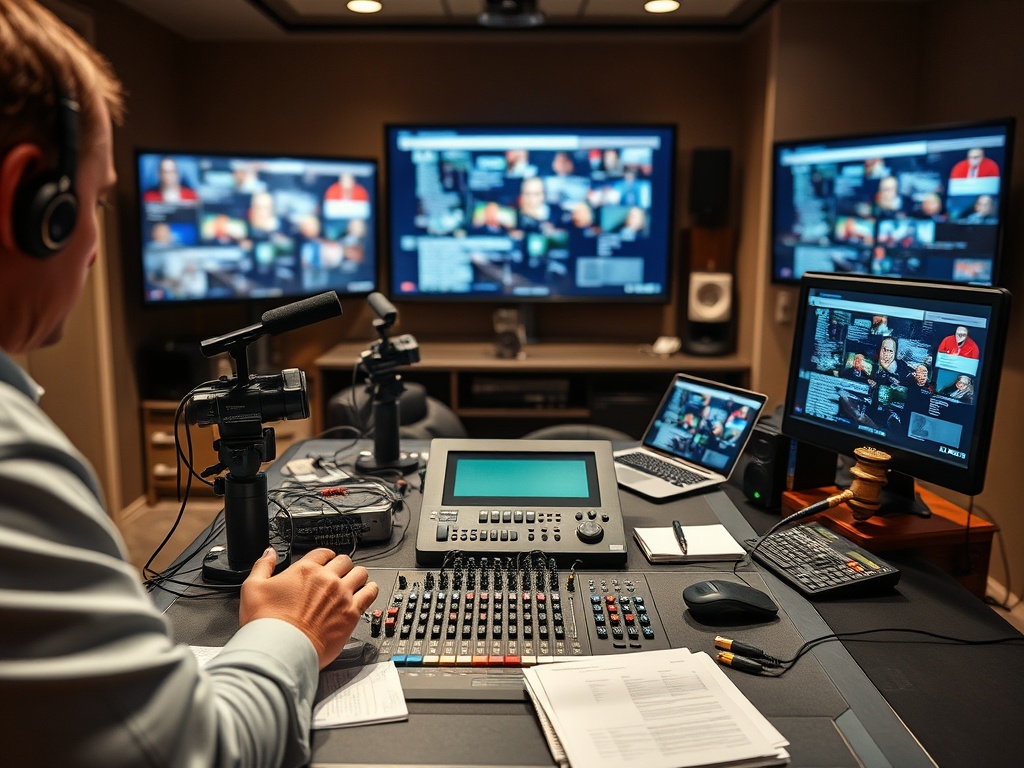
Most event operations need cameras or capture devices, microphones, a mixer or switcher, encoding software or hardware, a streaming destination, a backup internet plan, captioning support, recording storage, analytics, and a run-of-show template. Smaller webinars can use fewer tools, while hybrid conferences may need a professional production partner.
A useful review should separate confirmed facts from working assumptions. Confirmed facts may include signed dates, approved spaces, published schedules, contractual terms, or official venue rules. Working assumptions may include audience behavior, sponsor preferences, content demand, staffing comfort, or perceived atmosphere. Treating both as equal can create weak decisions.
Templates That Prevent Delivery Gaps
Useful templates include a technical rehearsal checklist, speaker joining guide, asset collection sheet, stream key log, backup contact list, captioning plan, moderator script, sponsor asset tracker, recording permission checklist, and on-demand publishing workflow. These are not substitutes for legal review, but they help teams catch operational gaps early.
This is also where teams should connect the plan to best practices for attendee onboarding, reminders, and pre-event communication in modern event planning. The related resource gives another lens on timing, format, or content decisions that often affect the same approval path.
Accessibility and Audience Experience
Live captions are a key requirement for many accessible digital experiences. W3C guidance for live captions states that synchronized text should be provided for audio content in real-time videos. Teams should also consider audio quality, lighting, screen readability, interpreter placement where applicable, and clear instructions for joining or troubleshooting.
The safest process is to document the decision, the owner, the review date, and the condition that would trigger a change. That keeps the plan adaptable without allowing every preference to reopen the entire project.
Stack Combinations by Event Size
A small internal webinar may need registration, video meeting software, recording, captions, and a replay folder. A paid virtual summit may need branded registration, production switching, moderation, sponsor placements, analytics, and on-demand hosting. A hybrid conference may need room capture, stage management, network planning, accessibility support, and a post-event content workflow.
For outside reference, teams can review W3C live captions guidance when the topic touches safety, accessibility, sustainability, compliance, marketing claims, or supplier risk. Use such resources as planning support, then verify requirements with the official organizer, venue, authority, or professional adviser for the specific event.
Live Streaming Stack Matrix
| Event size | Practical stack | Main risk |
|---|---|---|
| Small webinar | Meeting platform, captions, recording, reminder emails | Presenter readiness |
| Virtual summit | Registration, production switching, moderation, replay hub | Access and support volume |
| Hybrid conference | Room capture, stream platform, AV crew, backup network | Venue and network dependency |
| On-demand library | Recording storage, editing workflow, metadata template | Content goes unused |
Use the table as a review aid, not as a universal rule. Event requirements change across venues, cities, countries, audience types, contracts, and ticket structures. A simple event may only need a light version of this review, while a public, paid, hybrid, or sponsor-heavy event usually needs more documentation.
[IMAGE PLACEHOLDER 2: Editorial photo showing the practical environment where Article 7 would be reviewed or implemented.]
Streaming Operations Readiness Checks
- Name the single accountable owner for the decision.
- Record which facts are confirmed and which details remain assumptions.
- Confirm that the plan matches venue rules, contract terms, and audience access needs.
- List the approvals required before promotion, registration, production, or partner outreach continues.
- Set one review point after the event so the team can improve the next version.
When the decision touches budget, messaging, live delivery, vendor control, or post-event content, read it alongside If You’re Dealing With Great sessions are going unused, Fix event repurposing first so the same assumptions do not silently move from one workstream into another.
For a second outside reference, CISA venue guide for security enhancements can help teams pressure-test requirements that may sit outside the marketing or editorial plan.
Streaming Questions Before Rehearsal
Which streaming decision should come first?
Decide the audience outcome and the operational constraints first. Creative details are easier to refine once the team knows what the event must accomplish and what limits cannot move.
Can live streaming tools be chosen from a checklist?
Yes, if the event is small and low-risk. For public, paid, sponsored, hybrid, or regulated settings, the checklist should connect to owners, dates, contracts, and proof points.
Which streaming requirements need verification?
Verify dates, access rules, ticket terms, venue policies, permit expectations, legal obligations, travel requirements, and safety guidance with official sources before acting.
Choose the Stack You Can Rehearse
The strongest next step is to turn the article into a short working review: one owner, one current draft, one decision table, and one deadline for unresolved questions. That keeps the process useful without adding a heavy planning layer.
Disclaimer: This events content is for informational and educational purposes only. It is not legal, financial, travel, immigration, safety, accessibility, tax, insurance, or contractual advice. Readers should verify all details directly with official event organizers, venues, local authorities, ticketing platforms, and qualified professionals before making travel, ticketing, purchasing, contracting, or participation decisions.